

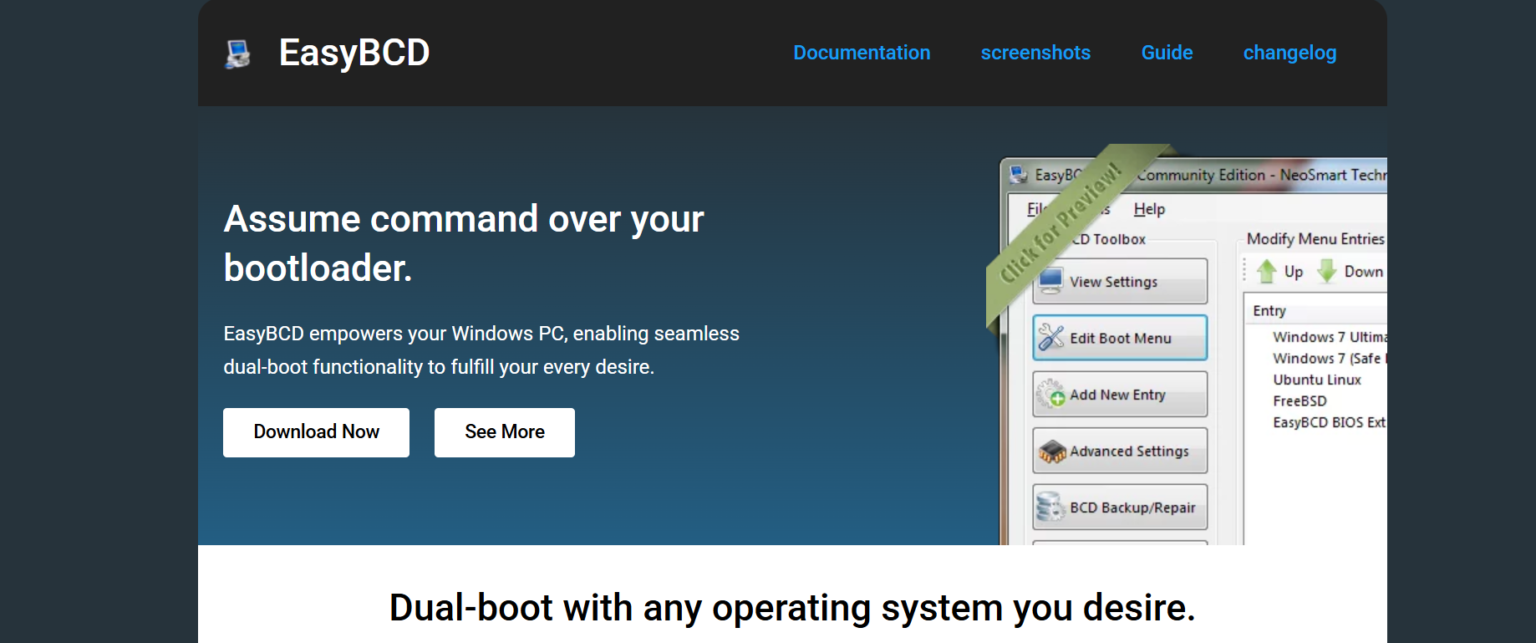
Managing more than one operating system on a single computer can seem complicated, especially for users who are not familiar with boot managers or system configurations. Many people install different operating systems for gaming, software testing, programming, or simply to enjoy the benefits of multiple platforms. In such situations, a reliable boot management tool becomes essential. One of the most popular tools for this purpose is EasyBCD.
EasyBCD is widely known for simplifying the process of handling multiple operating systems on one machine. It provides users with an easy interface to configure boot entries, repair boot issues, and customize startup options without requiring advanced technical knowledge. But the big question is whether EasyBCD can truly manage multiple operating systems effectively. The answer is yes, and it does so in a very user-friendly way.
Understanding EasyBCD
EasyBCD is a bootloader management utility developed by NeoSmart Technologies. It works mainly with Windows boot configuration data, commonly called BCD. The software allows users to create, edit, and manage boot entries for various operating systems installed on the same computer.
Instead of using complex command-line tools, EasyBCD provides a graphical interface where users can easily configure their boot menu. This makes it especially useful for beginners who may not be comfortable using advanced system commands.
The software supports dual-boot and multi-boot environments, allowing users to switch between operating systems during startup. Whether you want to run Windows alongside Linux or older versions of Windows together, EasyBCD can help manage the setup smoothly.
How EasyBCD Handles Multiple Operating Systems
EasyBCD is designed specifically to simplify multi-boot management. When multiple operating systems are installed on a computer, the system needs a bootloader that tells the computer which operating system to start. EasyBCD allows users to control and customize this process.
The software can detect existing operating systems and add them to the boot menu automatically in many cases. Users can also manually create boot entries if needed. Once configured, a menu appears during startup where the user can choose which operating system to launch.
EasyBCD supports various operating systems including Windows, Linux distributions, BSD systems, and even older operating systems. This flexibility makes it useful for developers, testers, students, and tech enthusiasts who work across multiple platforms.
Managing Different Versions of Windows
One of the most common uses of EasyBCD is managing multiple versions of Windows on a single PC. Many users keep older Windows versions for compatibility with legacy software while also using newer versions for modern applications.
EasyBCD makes this process simple by allowing users to add and rename boot entries for each Windows installation. You can customize the display names, set a default operating system, and adjust the timeout duration before automatic booting occurs.
For example, a user can install Windows 10 and Windows 11 on separate partitions and use EasyBCD to switch between them easily. The software ensures that the boot process remains organized and accessible.
Using EasyBCD with Linux
EasyBCD also works well with Linux operating systems. Many users install Linux distributions like Ubuntu alongside Windows for programming, privacy, or learning purposes. Traditionally, configuring dual-boot systems involving Linux required manual setup using bootloaders like GRUB.
EasyBCD simplifies the process significantly. Users can add Linux entries directly through the interface without manually editing configuration files. The software supports several Linux bootloader types and helps create a smooth startup experience.
This feature is especially beneficial for beginners who want to experiment with Linux without dealing with complicated installation steps.
Customizing the Boot Menu
One of EasyBCD’s strongest features is customization. Users are not limited to default settings. The software allows complete control over the appearance and behavior of the boot menu.
You can rename operating system entries to make them easier to identify. This is useful when multiple similar systems are installed. Users can also rearrange boot order priorities and choose which operating system starts automatically.
The timeout feature lets users determine how long the boot menu stays on screen before the default operating system launches. This helps create a faster and more convenient startup process.
EasyBCD also supports backup and recovery options, which provide extra protection against boot-related issues.
Repairing Boot Problems
Multi-boot systems sometimes encounter boot errors due to incorrect configurations, failed installations, or damaged boot sectors. EasyBCD includes built-in repair tools that help users recover their systems without extensive technical troubleshooting.
The software can repair bootloader files, rebuild boot configurations, and restore startup functionality. These repair features make EasyBCD more than just a boot manager. It also acts as a recovery utility for many common startup problems.
For users who frequently modify partitions or install new operating systems, these repair options are extremely valuable.
Advantages of Using EasyBCD
One major advantage of EasyBCD is its simplicity. The software is designed for both beginners and advanced users. Its clean interface reduces confusion and makes boot management accessible to almost everyone.
Another benefit is flexibility. EasyBCD supports various operating systems and bootloader types, making it suitable for many configurations. Users can create highly customized multi-boot environments according to their needs.
The software also saves time. Instead of manually editing boot files or using command-line utilities, users can complete most tasks with just a few clicks.
EasyBCD is lightweight and does not consume significant system resources. This makes it practical even for older computers.
Limitations to Consider
Although EasyBCD is powerful, it is not perfect for every situation. Some advanced Linux configurations may still require manual GRUB editing. Users working with very complex multi-boot setups might need additional technical knowledge.
There is also a learning curve for users completely unfamiliar with partitions and bootloaders. While EasyBCD simplifies the process, users should still understand basic installation and partition management concepts.
Another important point is that incorrect configuration changes can affect system startup. It is always recommended to back up important data before modifying boot settings.
Is EasyBCD Good for Beginners?
EasyBCD is often recommended for beginners because of its straightforward interface and guided options. Unlike traditional boot management methods that rely heavily on terminal commands, EasyBCD focuses on simplicity.
New users can usually create dual-boot systems without deep technical experience. The software provides clear labels and organized menus that help reduce mistakes.
Many tutorials and community guides are also available online, making it easier for users to solve common issues and learn how the software works.
Final Thoughts
EasyBCD is an effective and reliable tool for managing multiple operating systems on a single computer. It simplifies boot management, supports several operating systems, and provides customization and repair features that are useful for both beginners and experienced users.
Whether you want to dual-boot Windows and Linux, manage different Windows versions, or repair startup problems, EasyBCD offers practical solutions in a user-friendly package. Its ability to organize and control boot entries makes multi-boot setups much easier to handle.
For users looking for a simple way to manage multiple operating systems without complicated technical procedures, EasyBCD remains one of the best available tools.